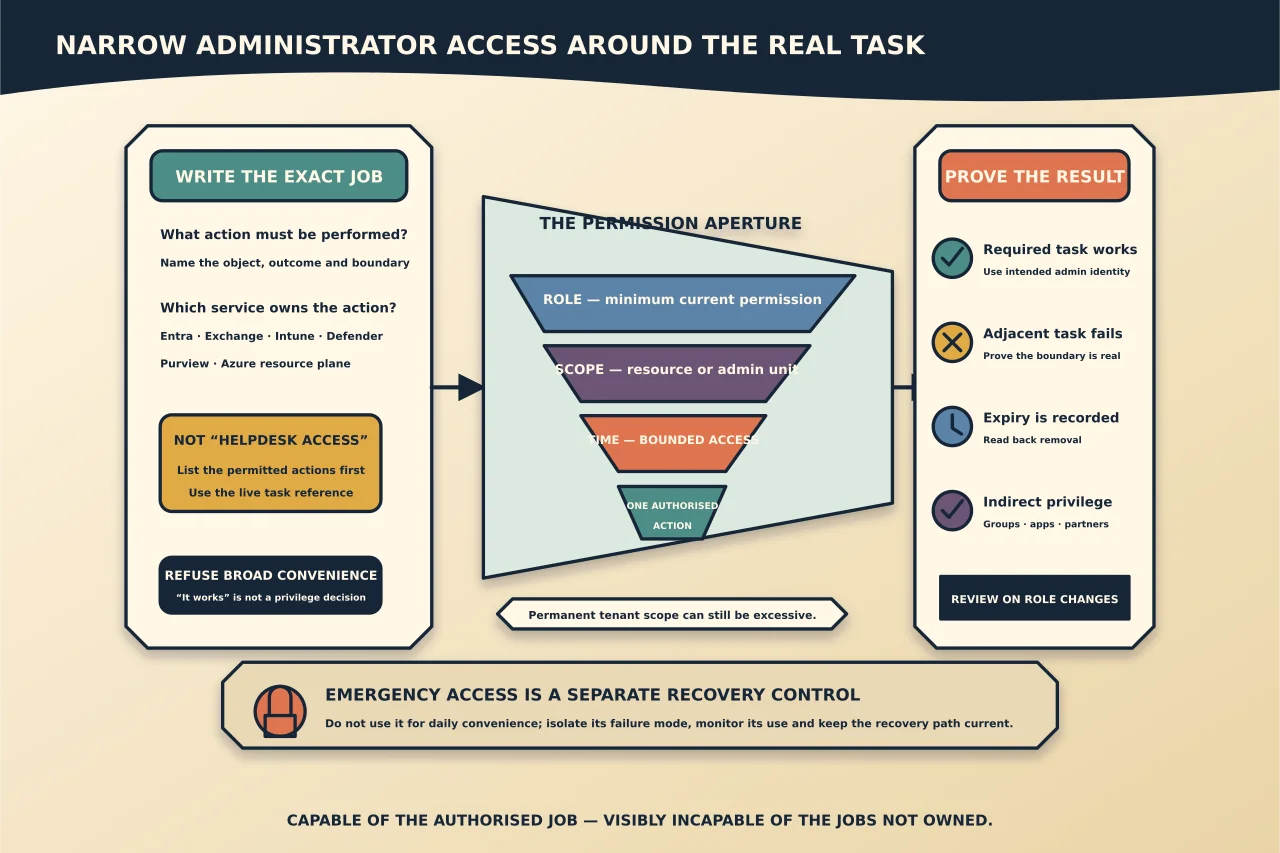
“Which admin role do I need?” sounds like a lookup question. It is really five questions:
- What exact action must be performed?
- Which service owns that action?
- Which role grants the required permission?
- Can the assignment be restricted by resource or administrative unit?
- Does the person need permanent access, or only approved access for this job?
Start there. Starting with Global Administrator because it works replaces diagnosis with permanent risk.
Map the task before the role
Write a one-sentence job statement: “Reset authentication methods for users in this administrative unit,” “manage Exchange recipients,” or “view service health and open support cases.” Avoid labels such as “helpdesk access” until the permitted actions are listed.
Then identify the control plane:
- Microsoft Entra roles govern directory resources such as users, groups, applications and many Microsoft 365 service-admin roles.
- Exchange Online also uses role groups and management roles for Exchange configuration and recipients.
- Intune, Defender, Purview and Azure resources have their own permission models or scopes.
- An Azure subscription role does not automatically grant Microsoft Entra directory administration, and an Entra role does not automatically grant Azure resource access.
Use the live task reference
Microsoft’s least-privileged-role reference is more reliable than an old role table in a blog post. Find the task, note the least role and any broader alternatives, then read the role’s current permissions and restrictions.
For Exchange, check the feature-permissions table or determine which management role grants the cmdlet and parameter you need. Organization Management is intentionally broad. Recipient Management or a custom scoped role group may fit a mailbox or group administration job without exposing organisation-wide transport and configuration changes.
Reduce scope as well as privilege
Least privilege is not only choosing a smaller role name. A tenant-wide assignment can still be excessive.
Where supported, restrict the assignment to an administrative unit, application, group or Exchange recipient scope. Use role-assignable groups when group-based administration is part of the design, but protect ownership and membership because changing that group changes administrative power.
Custom roles can close a real gap, but every custom role creates an object somebody must understand and review. Prefer a built-in role when it matches the job cleanly.
Prefer activation over permanent standing access
If the tenant and licence support Privileged Identity Management, make sensitive roles eligible and require activation, justification, approval or MFA appropriate to the risk. Set a duration that fits the work.
If PIM is not available, imitate the operational discipline manually: approved request, named administrator, start and end time, assignment read-back, activity record and prompt removal.
Keep emergency access separate
Emergency accounts exist for tenant recovery, not daily convenience. Protect them with methods that do not share the same failure mode as ordinary administrator access, monitor their use, and test the recovery path without using them as a standing shortcut.
Limit the number of Global Administrators. A person who occasionally needs one high-impact operation does not need that role every day.
Verify the effective result
After assignment:
- sign in through the intended administrator identity;
- prove the required task works;
- prove an adjacent out-of-scope task does not;
- record the role, scope, assignment type and expiry;
- review audit evidence for the privileged action; and
- remove or expire access, then read back that it is gone.
Also inspect indirect privilege: group membership, nested ownership, app consent, service-principal permissions and delegated partner relationships can grant access not obvious from one user’s direct role list.
Review on events, not only calendars
Periodic access reviews help, but role review should also trigger when a person changes job, a supplier leaves, an automation is retired, a service is migrated, a tenant feature changes or an emergency account is used.
A small role assigned forever and never reviewed is not automatically safer than a larger role activated for ten controlled minutes. The quality of the access lifecycle matters.
A practical decision record
For every privileged assignment, keep:
- requester and approver;
- exact task and service;
- selected role and why a narrower role was insufficient;
- scope;
- permanent, eligible or temporary state;
- start, expiry and review date;
- authentication and device expectations;
- verification result;
- actions performed; and
- removal or renewal evidence.
The aim is not to collect the fewest role names. It is to make each administrator capable of the authorised job—and visibly incapable of the jobs they do not own.