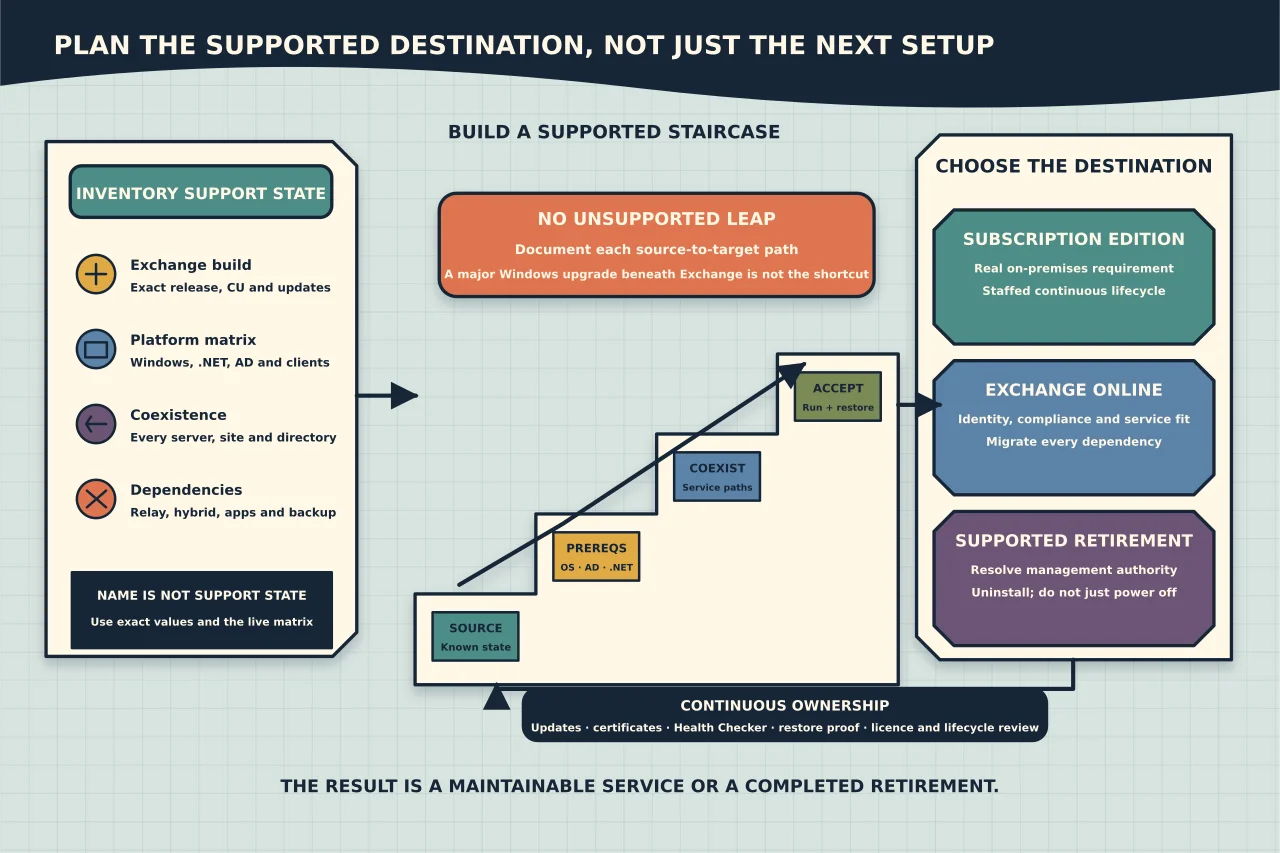
An Exchange server is not supported merely because its Windows service starts or mail still flows. Support depends on the Exchange release and build, security updates, Windows Server, .NET, Active Directory, clients and coexistence topology.
As of this article’s 2026 review, Exchange Server 2016 and 2019 reached end of support on 14 October 2025. Exchange Server Subscription Edition follows Microsoft’s Modern Lifecycle Policy. Always confirm those facts and the current supported combinations in Microsoft’s live lifecycle and supportability matrix before action.
Inventory the full support state
For every Exchange server, record:
- role and edition;
- exact Exchange version/build, CU and installed SUs;
- Windows Server edition, installation option and build;
- .NET and PowerShell state;
- Active Directory forest/domain functional levels and domain-controller OS versions;
- mailbox database/DAG role;
- namespaces, certificates and load balancers;
- hybrid, relay, application and backup dependencies; and
- client versions/protocols.
Do not infer a build from a product name in Programs and Features. Use supported Exchange inventory methods and compare exact values with current Microsoft tables.
Decide the destination
There are three broad outcomes:
Exchange Server Subscription Edition
Choose this when the organisation has a real on-premises Exchange requirement and can operate the supported hardware, OS, directory, patch and subscription lifecycle. Confirm current licence terms and operational staffing.
Exchange Online
Choose this when cloud service, identity, compliance, connectivity and commercial requirements fit. Plan mailbox/public-folder migration, applications, relay, archives, identity source of authority, DNS and decommissioning—not only mailbox moves.
Retirement without a replacement Exchange mailbox service
This may apply after a completed cloud migration or when Exchange is only residual infrastructure. Follow Microsoft’s supported management-tools/source-of-authority and last-server guidance. Powering off the server is not the same as uninstalling it.
Verify the actual upgrade path
Microsoft documents direct in-place upgrade to Exchange Server SE only from specified Exchange 2019 CU states. Do not assume an older Exchange release or arbitrary CU can leap directly to SE.
Where a direct path is unsupported, the design may require introducing supported Exchange servers, moving mailboxes/services, transitioning connectors/namespaces and removing old servers in sequence.
Microsoft does not support an in-place major Windows Server upgrade beneath installed Exchange. Treat OS transition as an Exchange architecture/migration task.
Reconcile coexistence and Active Directory
Check the current supportability matrix for coexistence among every Exchange version and for compatible domain controllers/functional levels. Include every domain and site, not only the datacentre hosting active mailboxes.
Exchange setup and upgrades change organisation-wide Active Directory state. Verify replication and directory health, schema preparation requirements, permissions and recovery before introducing the new version.
Map dependencies before scheduling
Find:
- SMTP relay devices and applications;
- hybrid connectors and centralised transport;
- EWS, ActiveSync, POP/IMAP and MAPI clients;
- journaling, archive, backup and security integrations;
- public folders and arbitration/system mailboxes;
- certificates and partner TLS;
- load balancer health probes; and
- monitoring/automation tied to server names or versions.
Rare monthly jobs matter. Observe over a representative period and ask owners.
Build the update staircase
For each step, document:
- source and target supported state;
- prerequisite OS/.NET/AD/update work;
- setup media and current release notes;
- backup and restore evidence;
- coexistence behaviour;
- maintenance and user impact;
- health and functional tests;
- rollback boundary; and
- stop conditions.
An Exchange CU is effectively a full build upgrade, not a small patch. Use Microsoft’s current guidance and allow time for setup, service recovery and validation.
Rehearse the business paths
In a lab or carefully isolated pilot, test:
- internal/external mail and queues;
- Outlook/OWA/mobile client access;
- Autodiscover and certificates;
- hybrid/free-busy and migrations where present;
- relay/application mail;
- database mount and DAG operations;
- backup and restore;
- monitoring and Health Checker; and
- rollback from a deliberately failed checkpoint where feasible.
Successful setup is only one acceptance item.
Keep support current after the project
Subscription Edition’s Modern Lifecycle means supported operation is continuous. Assign owners for:
- Microsoft update and vulnerability monitoring;
- current CU/SU deployment windows;
- certificate renewal;
- Health Checker review;
- backup restore tests;
- client/application compatibility; and
- lifecycle and licence review.
The correct plan produces a supported, maintainable service or a completed retirement—not an upgraded server whose dependencies remain unknown.