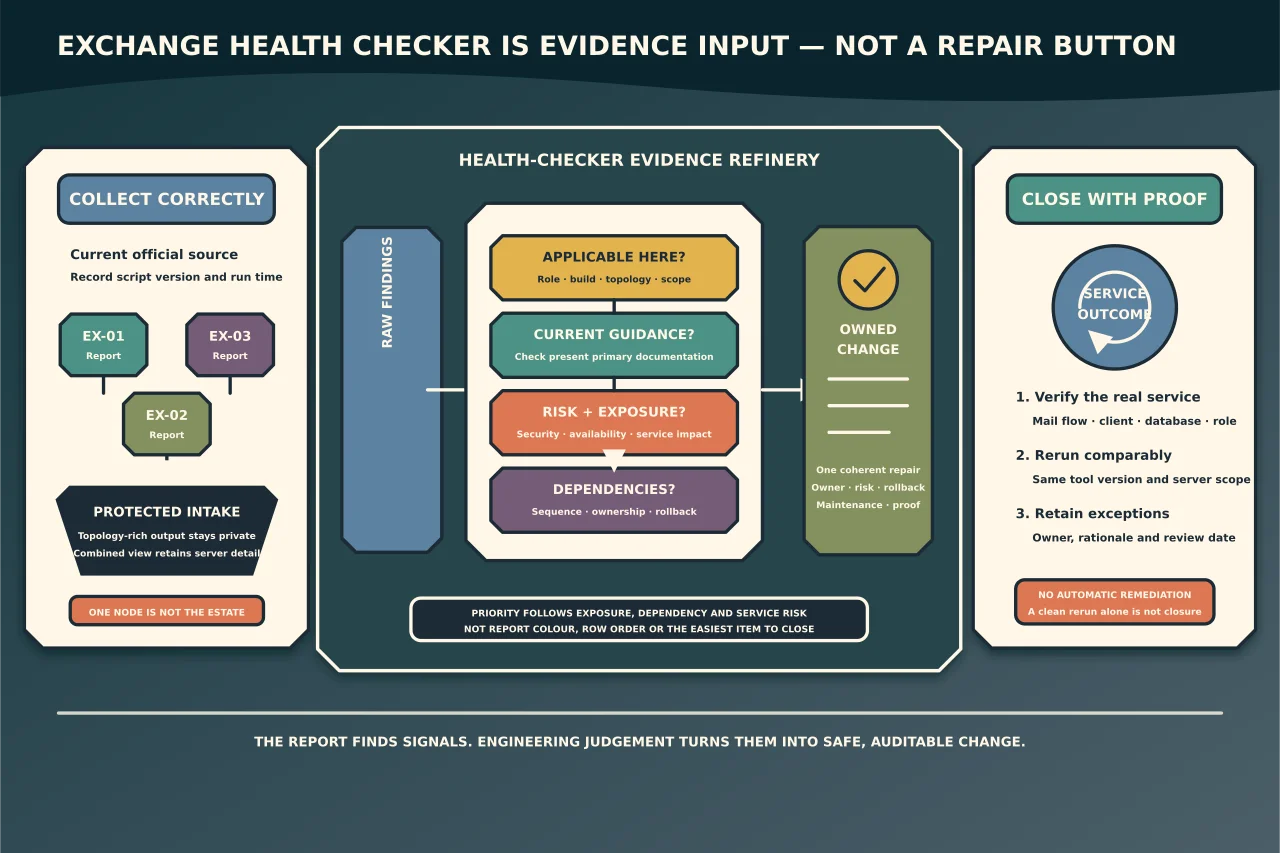
Microsoft’s Exchange Health Checker can quickly surface unsupported builds, missing security updates and known configuration or performance risks. Its report is a starting point for engineering work—not a button that repairs Exchange.
Define the assessment boundary
Record:
- Exchange servers and roles in scope;
- current incident or proactive-health objective;
- authorised operator and permissions;
- where reports/logs will be stored;
- maintenance restrictions; and
- how findings will be tracked.
Run against every relevant Exchange server. One healthy node does not represent a DAG or load-balanced service.
Obtain the current official script
Use Microsoft’s current CSS-Exchange release and documentation. Verify source/signature or published hash where provided and record the version/date.
Do not run a years-old copied HealthChecker.ps1 from an unknown toolkit. Detection logic changes with Exchange updates and newly understood risks.
Review requirements, supported Exchange versions and permissions before execution. Use the least account that satisfies the documented data collection; do not embed credentials in the command or report path.
Protect the output
A Health Checker report can reveal:
- server and domain names;
- IP addresses and network adapters;
- Exchange/Windows build state;
- certificates and expiry;
- TLS/security configuration;
- paths, databases and DAG/topology; and
- vulnerabilities or missing controls.
Store raw reports as sensitive operational evidence, restrict access and define retention. Publish only an anonymised, minimised summary when necessary.
Capture the baseline first
Before changing anything, preserve:
- report and script version;
- run time and operator;
- exact server set;
- current Exchange/Windows updates;
- recent incidents/changes;
- backup and recovery state; and
- service health/mail-flow checks.
If the assessment is incident-driven, collect volatile logs before restarts or updates erase the relevant window.
Classify findings, do not chase colours
For every finding, ask:
- Does it apply to this Exchange version and role?
- Is the report current enough to interpret it?
- What primary Microsoft guidance defines the risk and fix?
- Is it a vulnerability, supportability problem, performance concern or informational observation?
- Does another control or dependency change the action?
- What is the safe order and rollback?
A red item can be urgent, but colour is not impact analysis. An informational value can reveal an unsupported architecture even without a red label.
Prioritise by dependency
A practical order is:
- actively exploited or critical security exposure;
- unsupported Exchange/Windows/build state;
- broken backup/recovery or replication;
- certificate, mail-flow or client-access expiry/outage risk;
- known performance and stability prerequisites;
- hardening/configuration improvements; and
- informational cleanup.
Adjust for real exposure and prerequisites. A security update may require a supported CU first; a CU may require .NET/AD preparation; a TLS change may break an old device. Bundle only changes whose interactions are understood.
Create one repair record per coherent change
Record:
- finding and affected servers;
- source evidence;
- risk/reader or business impact;
- prerequisite and dependency;
- exact approved action;
- before-state and rollback;
- maintenance impact;
- verification; and
- residual exception.
Do not paste a report into a script and automatically execute every recommended command.
Rehearse high-impact repairs
Use a representative lab for CUs/SUs, .NET, Extended Protection, TLS, certificate and virtual-directory work. Validate setup elevation, service restart time, load-balancer behaviour and rollback boundary.
When lab fidelity is limited, state it and increase production observation/stop controls. Do not claim a recommendation is low risk because it is from Microsoft; applicability and execution still matter.
Verify each stage
After a coherent repair stage:
- confirm services and event/setup logs;
- test mail flow and queues;
- test OWA/ECP, Outlook and Autodiscover where affected;
- test DAG/database/backup paths where affected;
- rerun the same Health Checker version;
- compare the specific finding and adjacent findings; and
- record any new warning.
A finding disappearing is useful evidence, but functional service checks are still required.
Build a combined view without losing server detail
Microsoft documents combined HTML reporting across collected server data. Use it to spot inconsistent patch, TLS, certificate or hardware state across nodes, then return to each server’s report for repair evidence.
Do not publish the combined topology report. Create an anonymised management summary with finding class, count, impact, owner and due date.
Schedule recurrence
Run Health Checker after Exchange/Windows changes, before major upgrades and on an appropriate operational cadence. Alert on newly introduced or reappearing high-impact findings.
Keep the script current and distinguish “report collected” from “report reviewed.” Assign a human owner and due dates.
Health Checker creates value when it turns hidden configuration into owned, verified repairs. Running it without reviewing or protecting the result creates another unowned risk register.