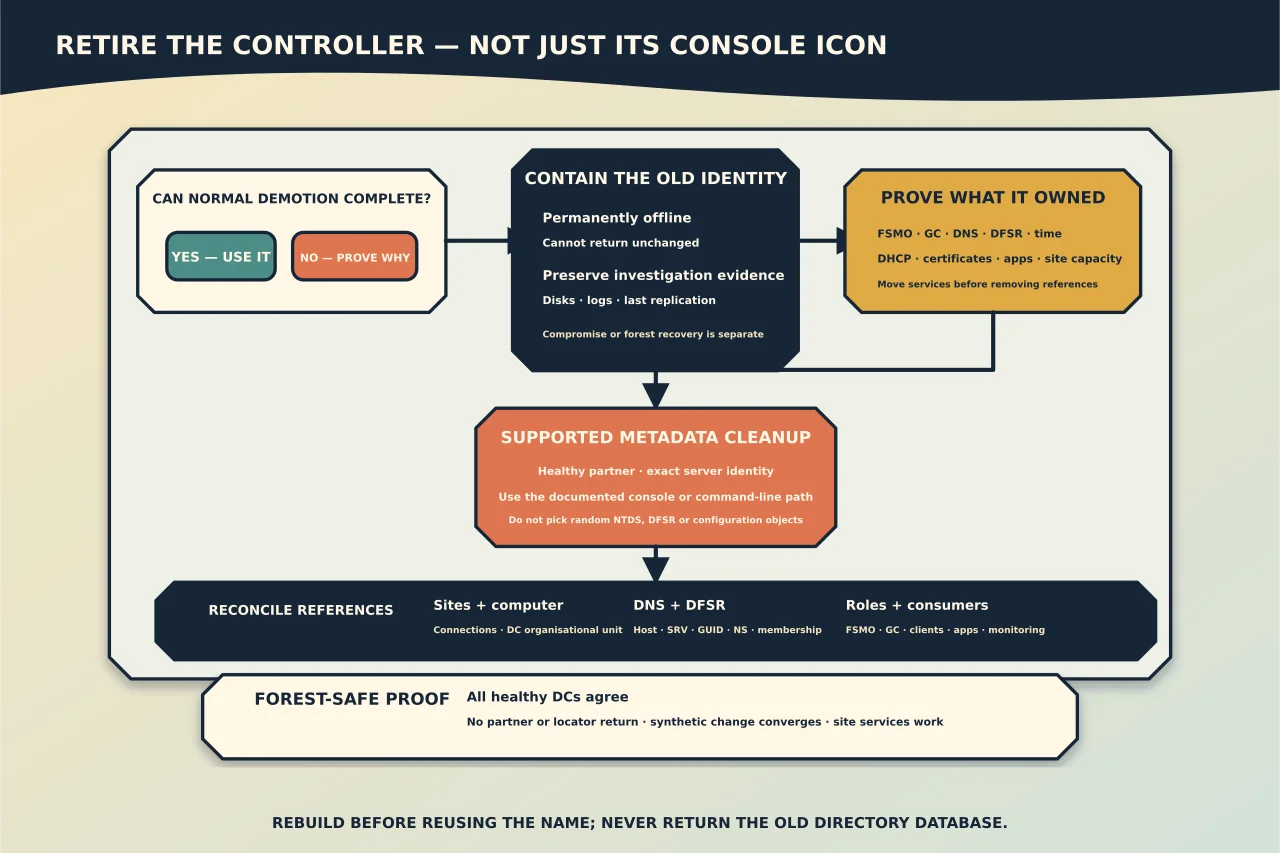
Metadata cleanup is not deleting an old computer icon. It tells Active Directory that a domain controller is permanently gone and removes the replication identity and related references that would otherwise keep the forest trying to use it.
Prefer normal demotion
If the DC can start, reach healthy partners and demote normally, use the supported demotion workflow. It transfers knowledge of the removal through AD and lets services close cleanly.
Use forced removal plus metadata cleanup only when normal demotion cannot complete and the server is permanently offline or will be rebuilt before reconnecting.
Prove what the DC owned
Before declaring it gone, inventory:
- FSMO roles and Global Catalog status;
- DNS zones, delegations, forwarders and name-server records;
- DHCP, certificate, NPS, file/print or application roles;
- SYSVOL/DFSR and replication partners;
- site/subnet/bridgehead significance;
- time-source responsibilities;
- backups and last successful replication; and
- monitoring, scripts and devices that name the server directly.
Move or recover those services deliberately. Metadata cleanup does not replace them.
Contain the old identity
Keep the failed machine powered off and unable to return to the network. Preserve disks/logs if the failure needs investigation. If FSMO roles must be seized, do so to a healthy current DC and document that the former holder cannot return unchanged.
Resolve any unique DNS or GC capacity before removing the object, especially in a remote site.
Use the supported cleanup path
Current Microsoft guidance allows metadata cleanup through modern Active Directory Users and Computers or Active Directory Sites and Services when the operator marks the DC as permanently offline; the consoles perform the related cleanup automatically. ntdsutil is available for the command-line path.
Connect the console to a healthy replication partner in the failed DC’s domain. Confirm the exact server name. In Sites and Services, sequence matters: deleting the NTDS Settings object through the documented path triggers metadata handling before deleting the server object.
Do not manually pick random NTDS, DFSR or configuration objects from ADSI Edit. Use low-level editing only under exact current recovery guidance when supported cleanup cannot finish.
Reconcile the surrounding records
After cleanup and AD convergence, inspect:
- Sites and Services server/connection objects;
- the Domain Controllers OU and computer object;
- DNS host, SRV, GUID, NS and delegation records;
- DFSR memberships and events;
- FSMO ownership and GC capacity;
- replication status for every naming context;
- DHCP/DNS client lists, time peers and application settings; and
- backup and monitoring inventories.
Remove only records proven to belong exclusively to the retired identity. A shared alias or service endpoint may still be in use.
Prove the forest has forgotten it safely
Wait for normal replication across sites, then confirm all healthy DCs agree that the server and NTDS settings are absent. repadmin output should no longer show it as an expected partner, and DNS/DC Locator should not return it.
Create a synthetic directory change and prove convergence across the intended topology. Test sign-in, Group Policy and DNS from the retired server’s site. Confirm no service or device is repeatedly attempting to contact it.
If the hardware/name will be reused, rebuild the OS and promote it through the supported process after cleanup convergence. Never boot the old AD database back into the forest.
Cleanup is complete when the controller’s identity, responsibilities and references have all been reconciled—not when one console icon disappears.