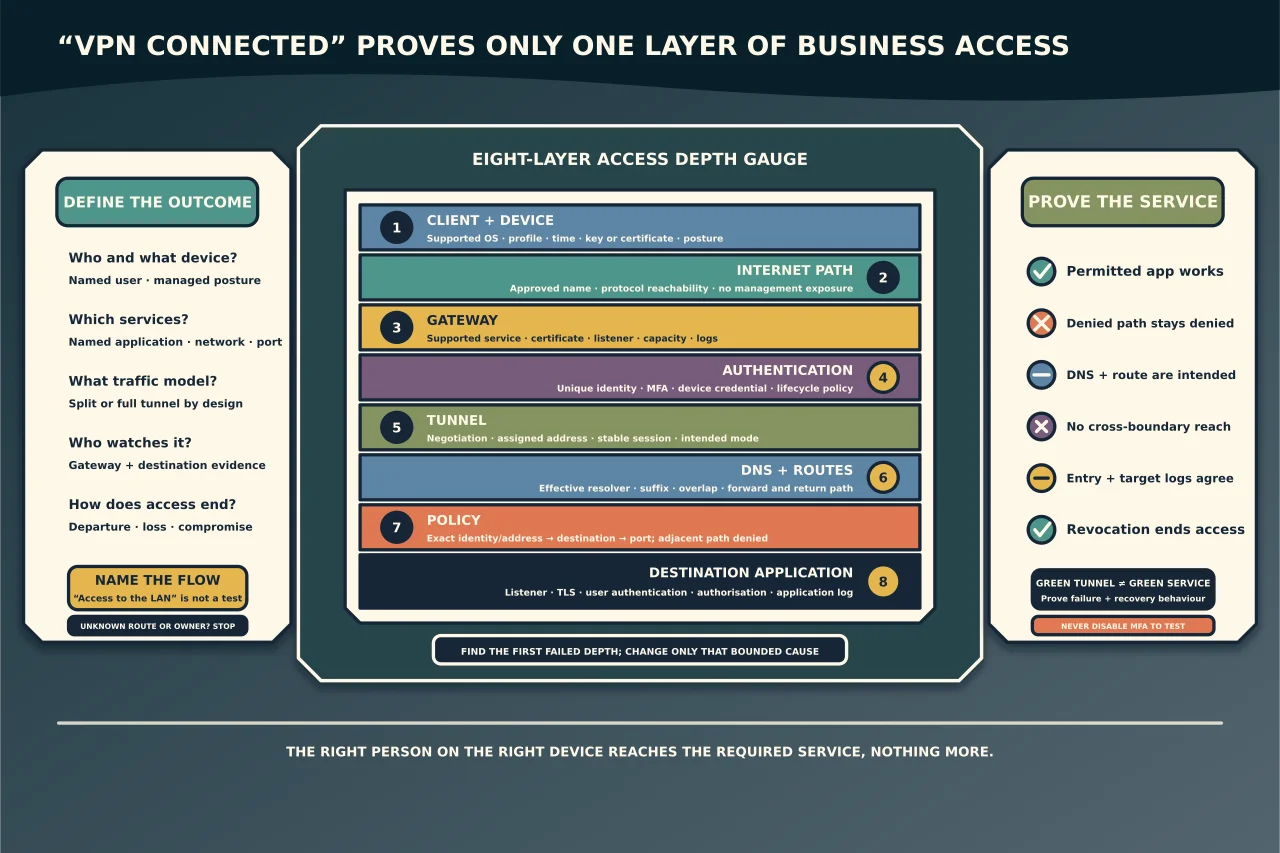
A VPN is not a magic private network. It is an authenticated encrypted path plus routes and policy. A client can report Connected while sending DNS to the wrong resolver, routing the target outside the tunnel or being denied by the destination service.
Define the access outcome
For each user or role, record:
- managed device requirements;
- identity and MFA method;
- allowed applications and networks;
- whether internet/DNS traffic uses the tunnel;
- support hours and session duration;
- logging and response owner; and
- revocation process for a person or device.
Avoid “access to the LAN” as a requirement. It grants an undefined blast radius and makes acceptance impossible. Prefer named services and flows.
Separate the control layers
Diagnose the connection in order:
- Client/device: supported OS, healthy agent/profile, time, certificate/key and posture.
- Internet path: name resolution and reachability to the gateway on the intended protocol/port.
- Gateway: supported/updated appliance or service, certificate, listener and capacity.
- Authentication: unique identity, MFA and device credential/policy.
- Tunnel: negotiation, assigned address and stable session.
- DNS and routes: effective resolver, suffix/split rules, selected route and overlap.
- Policy: gateway/firewall permits only the intended source identity/address to destination/port.
- Application: listener, TLS, authentication and authorisation.
Capture client and gateway timestamps/errors for the same attempt. Reinstalling a client cannot fix a gateway rejecting an expired user certificate.
Build identity and lifecycle first
Use unique accounts and per-device credentials where the technology supports them. Enforce MFA—prefer phishing-resistant methods for privileged and remote administration when feasible. Shared usernames and PSKs make individual attribution and revocation weak.
Define join, role change, lost-device, compromise and departure processes. Test revocation: removing a user/device must end or expire existing access as intended, not merely prevent tomorrow’s login.
Separate ordinary user access from administration. A VPN should not make every remote device a management workstation or expose all server management ports.
Decide split versus full tunnel deliberately
A full tunnel routes broad traffic through the organisation, which can centralise filtering and visibility but increases gateway/bandwidth dependency and may complicate local services.
A split tunnel routes selected organisational destinations through the VPN while other traffic exits locally. It reduces central traffic but demands precise routes/DNS and changes monitoring/control coverage.
Neither is universally safe. Choose per data, application, device trust, local-network exposure, regulatory needs and operational capacity. Document exceptions rather than letting client defaults make the decision.
Watch for overlapping private ranges: the user’s home network and business may use the same subnet. The more-specific/effective local route can win, sending traffic to the wrong device. Fix the design or use narrowly controlled translation; do not add random persistent routes on the laptop.
Treat DNS as part of the tunnel
Record which resolver answers internal and public names, how suffixes or domain rules are delivered, and whether IPv4/IPv6 behave consistently. A tunnel can be established while the name resolves publicly, incorrectly or not at all.
Test the FQDN against the assigned resolver, then test its returned address and service port. Do not permanently point a domain-joined client at a public resolver to hide an internal DNS problem.
Minimise gateway exposure
Remote-access gateways are internet-facing security boundaries. Maintain supported versions, rapid security updates, strong administration authentication, restricted management sources and central logs. Do not expose management interfaces beside the user listener.
Monitor failed/successful authentication, new devices, unusual locations/times, configuration changes, session volume and assigned addresses—within applicable privacy rules. A public listener that nobody monitors becomes silent risk.
Use certificates with validated names and trusted chains. Do not train users to ignore identity warnings.
Prove least privilege and failure behaviour
Test a permitted application, a deliberately denied destination, DNS, reconnect/roaming and normal internet behaviour. Confirm the gateway and destination log the intended identity and source. Verify that one user cannot reach another customer’s or administrative network.
Then test failure: expired/revoked credential, unavailable MFA, lost device, gateway update/restart, capacity threshold and monitoring outage. Recovery and rollback belong in the design.
Diagnose without broad changes
For one failed session, compare a known-good user/device from the same and different network. Determine the first failed layer. Common patterns include:
- no gateway reachability: local internet, DNS, firewall/NAT or gateway listener;
- negotiation failure: protocol/cipher/certificate/time mismatch;
- authentication failure: identity, MFA, device certificate or policy;
- connected but no address: pool/DHCP/capacity;
- address but no name resolution: resolver/suffix/split-DNS policy;
- name resolves but service fails: route, firewall or application;
- intermittent access: roaming/NAT timeout, MTU/path, capacity or unstable transport.
Do not disable MFA, permit all networks or weaken encryption to make a test green. Change one bounded cause with rollback and then retest the original service.
A good VPN is boring: the right person on the right device reaches the required service, nothing more, and their access can be observed and revoked. That is a much stronger success criterion than a green tunnel icon.