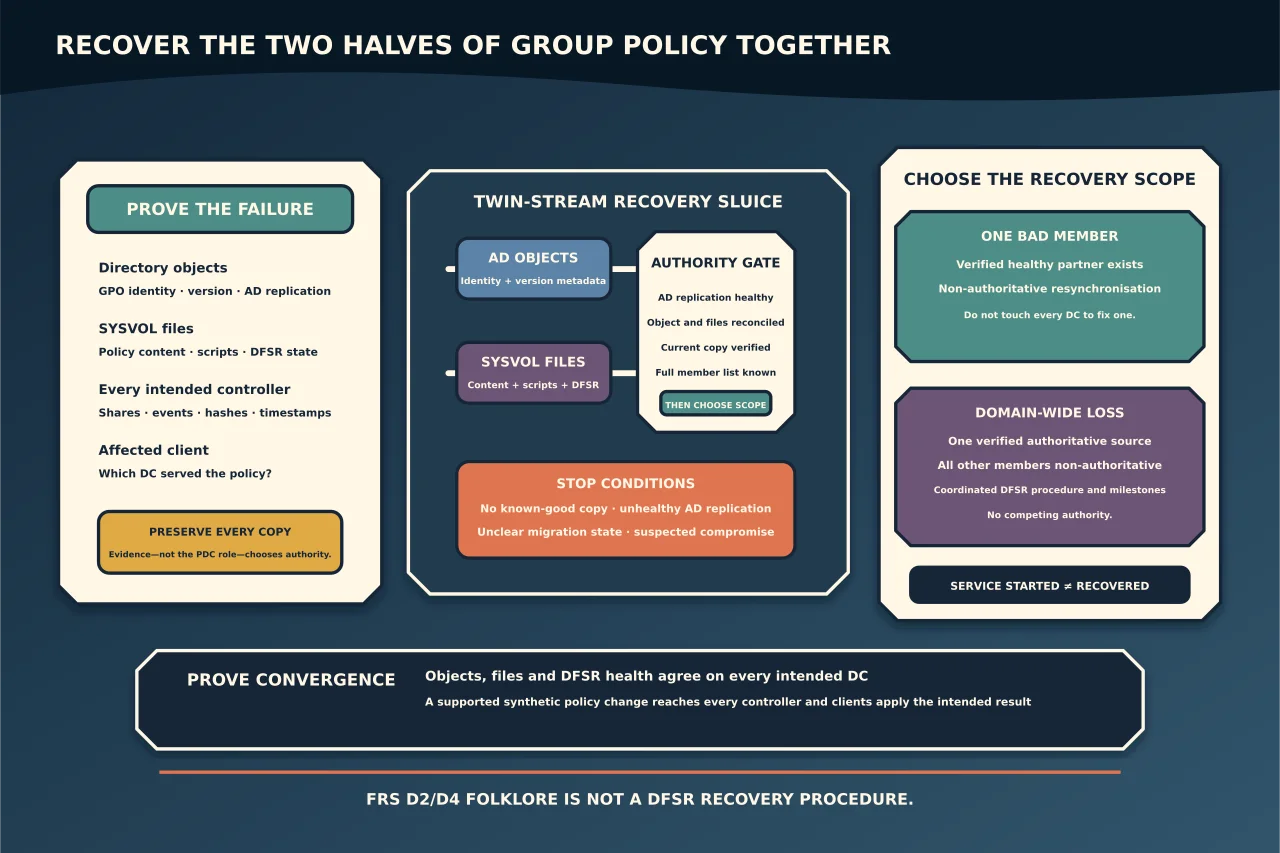
Group Policy has two halves: policy objects in Active Directory and files in SYSVOL. AD replication can be healthy while DFS Replication leaves the files stale or absent—and the reverse can also happen.
Prove which half is wrong
On every DC, record:
- presence of
SYSVOLandNETLOGONshares; - DFS Replication service and event state;
- current SYSVOL migration state;
- AD replication for the domain and Configuration partitions;
- policy object identifiers/versions; and
- hashes/timestamps of representative policy files and scripts.
Test Group Policy from an affected client and note which DC it used. Do not assume the PDC Emulator holds the best copy; it is often the editing focus, but evidence decides.
Confirm DFSR, not FRS folklore
Modern supported domains use DFSR for SYSVOL. Old FRS guidance refers to BurFlags D2/D4 values. Those registry values do not perform the equivalent protected SYSVOL operation in DFSR.
Microsoft’s DFSR recovery procedure changes the SYSVOL subscription stored in AD, relies on successful AD replication, polls configuration and verifies specific DFSR events. Copying old D2/D4 instructions into a DFSR domain can make the outage worse.
If the domain’s migration state is incomplete or ambiguous, diagnose that state first. Do not start recovery based only on which service happens to be running.
Fix AD replication before SYSVOL authority
The recovery declaration itself must replicate through AD. If domain controllers do not agree on the subscription state, different members can initialise from conflicting assumptions.
Resolve DNS, time, authentication, topology and AD replication failures first. Preserve every SYSVOL copy and a backup before making one authoritative or another non-authoritative.
Choose the recovery scope
One bad member
If one DC’s SYSVOL is missing/stale and another DC has a verified current copy, use Microsoft’s non-authoritative DFSR resynchronisation for the affected member only. The member discards its local authority and rebuilds from a healthy partner.
Do not touch every DC to fix one DC.
Domain-wide uncertainty or loss
If all members are affected or content must be restored from a known point, choose one verified source and use Microsoft’s coordinated authoritative procedure. All other DCs must be made non-authoritative; otherwise competing members can create conflicts.
The preferred source is the copy whose GPO objects and files are reconciled and whose content has owner/backup evidence—not automatically the easiest server to reach.
What the controlled procedure must prove
Before execution, record the exact Microsoft article revision and translate its distinguished-name placeholders for every DC. Peer review the full member list; omitting one is a material risk.
During execution, verify the documented milestones:
- replication disabled state (
4114); - authoritative initialisation (
4602) for the chosen source; and - non-authoritative initialisation/ready events (
4614/4604) for other members.
Do not advance because a service started. Confirm the expected event and AD convergence at each gate.
Validate policy, not just shares
After recovery:
- verify
SYSVOL/NETLOGONon every intended DC; - compare representative GPO/script content and versions across DCs;
- run AD and DFSR health/replication checks;
- create a harmless synthetic GPO file/object change through supported tools;
- allow normal replication and confirm it reaches every DC; and
- test Group Policy from clients in each site.
Reconcile any policies changed during the failure window. A restored file with no matching AD policy object—or an AD object whose files are missing—is not a recovered GPO.
Return service start modes and monitoring to the intended state and take a new trusted backup. SYSVOL recovery is complete when policy objects and files converge together and clients apply the intended result.